Implement Phantom Token (Token Conversion) Model
Create JWT Claim
Navigate to Access ›› Federation : OAuth Authorization Server : Claim
Configure with following parameters:
Name: username_internal
Claim Type: string
Claim Name: name
Claim Value:
%{session.oauth.scope.last.introspect.username}

Create JWT Key
Navigate to Access ›› Federation : JSON Web Token : Key Configuration
Configure new JWT key configuration with following parameters:
Name: api-jwt
ID: api-jwt
Type: Octet
Signing Algorithm: HS256
Shared Secret: rahasia

Create OAuth Bearer Profile
Navigate to Access ›› Single Sign-On : OAuth Bearer
Click create and configure with following parameters:
Name: internal_jwt
Token Source: Generate JWT
Issuer:
https://percobaanSubject: clear the value or leave default
Signing Key: api-jwt
Scope:
%{session.oauth.scope.last.introspect.scope}JWT Claims: Move
username_internalfrom Available to Selected

Add SSO In Access Profile
Edit resource server access profile previously created in Create Access Profile for Resource Server. Navigate to Access ›› Profiles / Policies : Access Profiles (Per-Session Policies) ›› app-1-ap then open the SSO / Auth Domain tab.
Change SSO Configuration to internal_jwt

Test The Configuration
Back to Postman GUI
Get new access token

New opaque access token is set as Authorization in request header. Click Send to create the request.
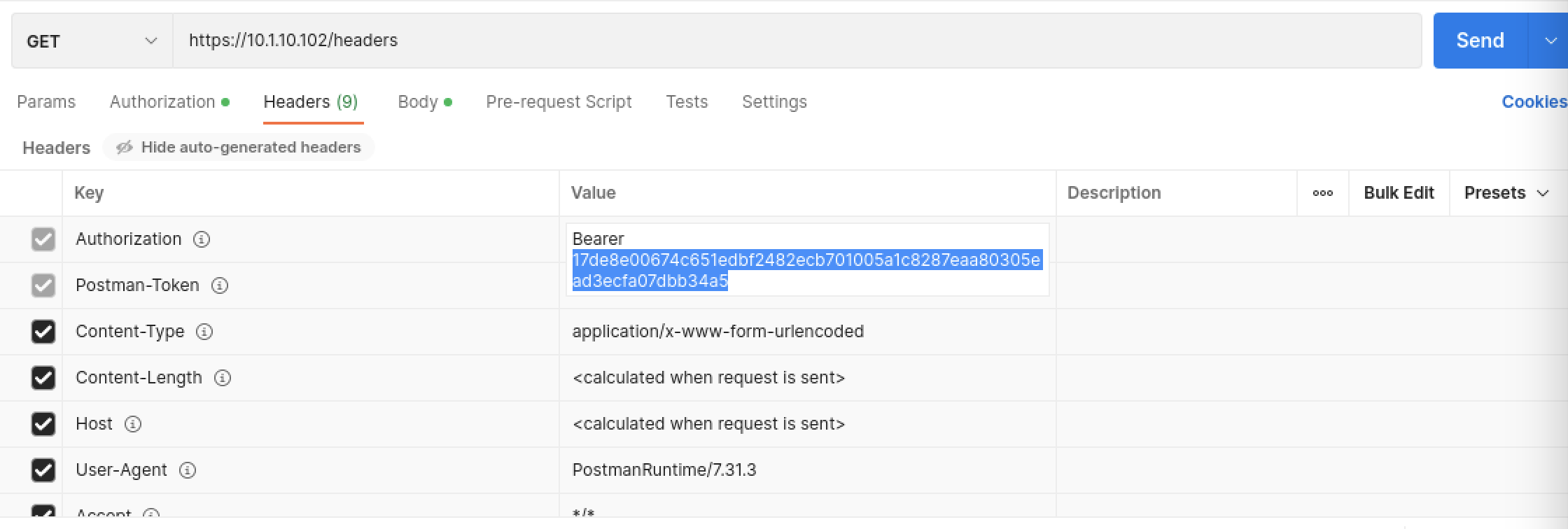
The opaque token converted to JWT as reported in
httpbinresponse.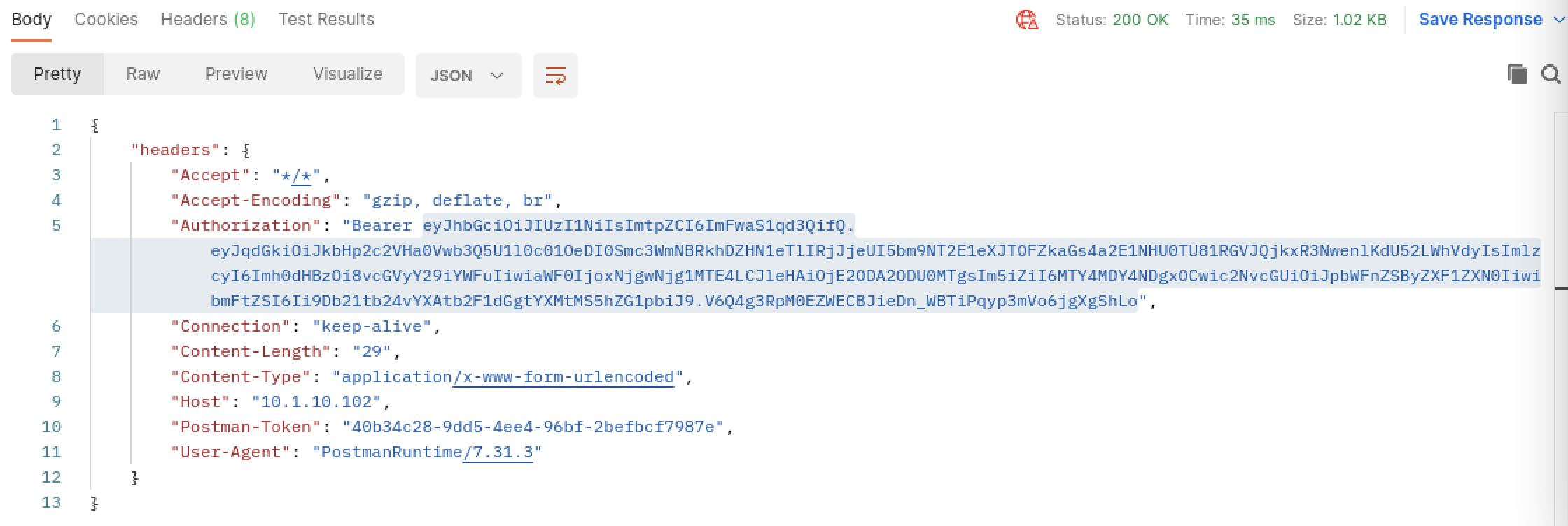
Open JWT decoder from https://jwt.io then copy & paste JWT access token string. See the
scope&namevalue.
This conclude phantom token lab guide.