Limiting User Access Session
Create access policy to make sure only one user access session at a time. Any other new session using the same user will terminate previous old session immediately and new login is required.
The test will be conducted using same client IP address but different browser (normal & private browsing)
Create Access Policy
Navigate to Access ›› Profiles / Policies : Access Profiles (Per-Session Policies)
Name: test-ap
Profile Type: All
Profile Scope: Profile
Max Sessions Per User: 1
OAuth Profile: None
Languages: English (en)

Add Access Authentication
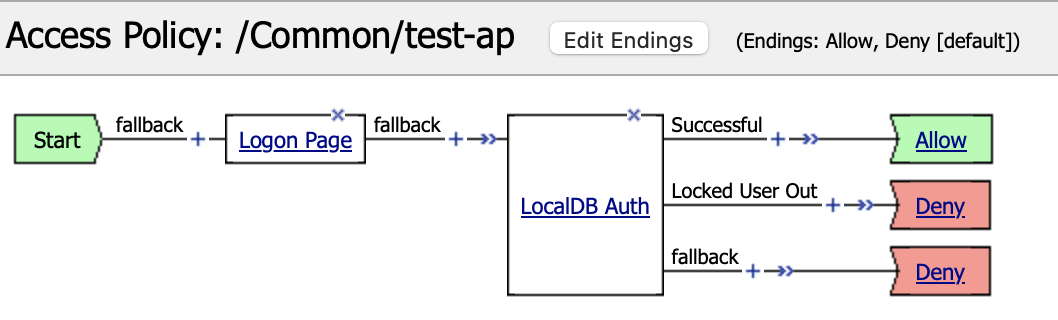
Edit the policy using Visual Policy Editor.

Create user authentication flow.
Testing
First access to https://10.1.10.81/get and the request will be redirected to login page. Try login using credential: admin/admin

A new access session is created

Now in the same client open “Private Browsing” window and access the same URL above, request will be redirected to login page. Try login using credential: admin/admin

A new access session is created and the old one is deleted

To confirm previous session deletion, go back to non-private browser window and do page refresh, the request should be redirected to login page.